

Notice: Function _load_textdomain_just_in_time was called incorrectly. Translation loading for the bwp-ext domain was triggered too early. This is usually an indicator for some code in the plugin or theme running too early. Translations should be loaded at the init action or later. Please see Debugging in WordPress for more information. (This message was added in version 6.7.0.) in /home/tuong.me/public_html/wp-includes/functions.php on line 6170

Notice: Function _load_textdomain_just_in_time was called incorrectly. Translation loading for the rocket domain was triggered too early. This is usually an indicator for some code in the plugin or theme running too early. Translations should be loaded at the init action or later. Please see Debugging in WordPress for more information. (This message was added in version 6.7.0.) in /home/tuong.me/public_html/wp-includes/functions.php on line 6170

Notice: Function _load_textdomain_just_in_time was called incorrectly. Translation loading for the katen domain was triggered too early. This is usually an indicator for some code in the plugin or theme running too early. Translations should be loaded at the init action or later. Please see Debugging in WordPress for more information. (This message was added in version 6.7.0.) in /home/tuong.me/public_html/wp-includes/functions.php on line 6170

Notice: Function _load_textdomain_just_in_time was called incorrectly. Translation loading for the kirki domain was triggered too early. This is usually an indicator for some code in the plugin or theme running too early. Translations should be loaded at the init action or later. Please see Debugging in WordPress for more information. (This message was added in version 6.7.0.) in /home/tuong.me/public_html/wp-includes/functions.php on line 6170
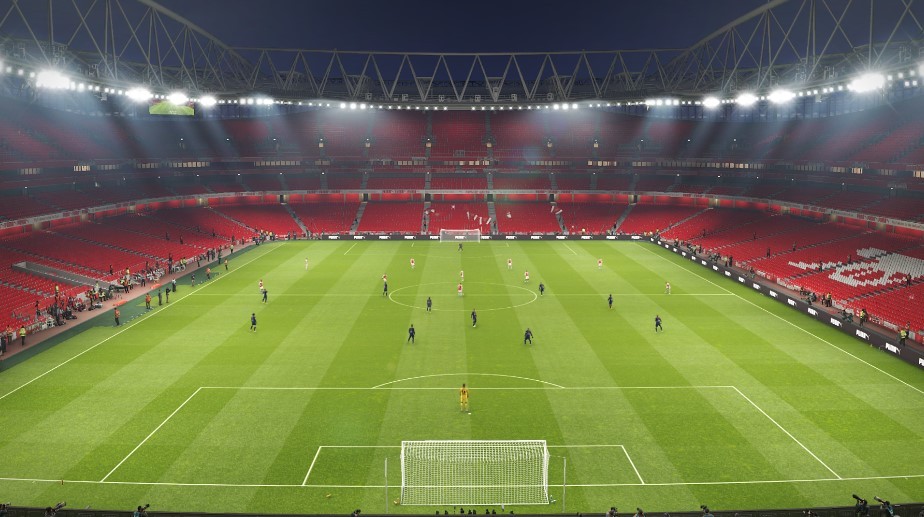
Hướng dẫn bỏ khán giả, fix lag PES 2019 - disable crowd pes 2019

Hướng dẫn bỏ khán giả, fix lag PES 2019 – disable crowd pes 2019

Việc cài đặt pes 2019 cho máy cấu hình yếu là việc không thể :). Chỉ những máy có cấu hình tương đối ổn thì chúng ta có thể fix lag pes 2019 bằng cách bỏ khán giả, giảm đồ họa, tắt replay logo. Dưới đây Tuong.Me xin chia sẻ đến bạn đọc file data để bỏ khán giả pes 2019, tắt replay logo.

Hướng dẫn bỏ khán giả, fix lag PES 2019 - disable crowd pes 2019

Tính năng chính:

  • Bỏ khán giả PES 2019
  • Tắt logo replay
  • Giảm lag PES 2019

Ở các phiên bản Pro Evolution Soccer trước mình cũng chia sẻ đến các bạn file bỏ khán giả và fix lag. Nếu các bạn quan tâm có thể tham khảo cho PES 2017 tại đây và PES 2018 tại đây.

Download file bỏ khán giả, fix lag PES 2019

Hướng dẫn cài đặt:

  • Backup file dt19_x64.cpk trong thư mục data của game PES 2019 để sử dụng lại khi cần thiết.
  • Copy file dt19_x64.cpk vừa tải về dán đè vào thư mục data của game.
  • Enjoy!

Chúc các bạn thành công!

Leave a Reply

Press ESC to close